Guide
Deposit Limits, Time-Outs and Self-Exclusion: Setting Your Controls
Every casino licensed in Great Britain gives you tools to cap spending and step away. This guide explains what each one does, how they differ, and what the operators in our ledger publish about them.
Updated Register read 28 October 2026
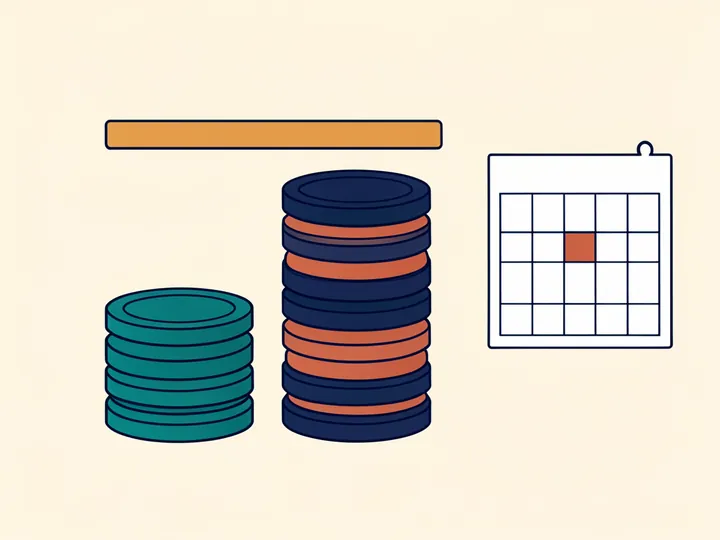
The limit question comes before the first deposit
From 31 October 2025, a casino licensed by the Gambling Commission has to prompt anyone opening an account to choose a spending limit before paying in for the first time. The rule sits in the Commission's technical standards for remote gambling, and the Commission has since revised how a deposit limit is defined, with the new wording in force from 30 June 2026.
In practice the question arrives during registration or on the first visit to the cashier page. It is easy to treat it as one more box to click through. It is worth a pause instead: the figure you choose at that moment is the one that will hold on the evening when stopping feels harder. Pick an amount that comes out of the money you have set aside for entertainment after bills, rent and savings, not out of what is left in your current account.
If you already hold an account opened before that date, nothing stops you setting a limit now. The tools described below are available to existing customers too; the 2025 rule simply makes sure the question is asked of everyone who joins.
Daily, weekly or monthly: choosing the period
A deposit limit has two parts: an amount and a period. A daily limit gives the tightest control over a single evening, a weekly one smooths out the difference between weekdays and weekends, and a monthly one lines up with the way most people are paid. Where an operator lets you set more than one at once, a monthly ceiling can sit above a smaller daily cap.
Operators word their periods differently. bet365 describes deposit limits by day, week or month. Kwiff explains limits over 24 hours, 7 days and 30 days. When you set a limit, read how the operator counts the period — from a fixed day or from your own deposit — because that decides when the allowance starts again.
A useful check is to multiply a daily limit by thirty. If that figure would worry you as a monthly total, the daily figure is too high, or you need a monthly limit as well.
Limits on deposits, net deposits, losses, stakes and sessions
The word “limit” covers several different controls. They measure different things, and they protect you in different ways:
- Deposit limit. Caps the money you pay into the account over the chosen period, whatever happens to it afterwards. It is the simplest control to understand and the one every licence holder has to offer at sign-up.
- Net deposit limit. Looks at what you pay in after taking away what you have withdrawn over the period. bet365 and LeoVegas both describe one.
- Loss limit. Caps how much you can lose over the period rather than how much you deposit. LeoVegas and Buzz Casino list a loss limit on their own pages.
- Stake limit. Caps the size of a single bet or spin, on top of the legal ceiling for online slots — £5 per spin, dropping to £2 between the ages of 18 and 24. LeoVegas lists a stake limit.
- Session limit. Caps how long you can stay logged in or play in one go. LeoVegas lists session limits next to its other tools.
Lowering and raising a limit
Lowering and raising a limit may follow different rules, so read the operator's own wording before relying on either. bet365 states on its UK help page that a reduction to a deposit limit takes effect straight away. None of the other pages behind our ledger set out a waiting period for raising a limit that we could confirm, so we do not state one here.
Whatever the operator's rule, a request to raise a limit deserves the same pause as setting it in the first place. If you notice that you want more room because you are trying to win back what has gone, that is the moment the limit is doing its job.
Time-out or self-exclusion at a single operator
Both tools stop play, but they are built for different situations. A time-out is a short break: the account is paused for a set spell and opens again afterwards. A self-exclusion is a longer, deliberate step away from that operator, measured in months or years, meant for when a pause is not enough.
LeoVegas describes a time-out lasting anywhere between 1 day and 6 weeks, and self-exclusion lasting between 6 months and 5 years. Buzz Casino offers a time-out from 1 day to 6 weeks that covers both its casino and its bingo site, along with self-exclusion. Kwiff's Time Out goes up to 6 weeks, and its Self Exclusion runs between 6 months and 5 years. BoyleSports lists Take a Break and Self-Exclusion on its safer gambling site.
For bet365, the time-out and self-exclusion pages we found were written for customers in other countries, so the UK version is not confirmed. For Casumo, its safer gambling pages did not open for us on 28 October 2026. Both operators are still bound by the market-wide rules described in the next section.
GAMSTOP: one registration for every online licence holder
GAMSTOP is the national online self-exclusion scheme for Great Britain. It is free, and every operator holding a Gambling Commission licence for online gambling takes part, so a single registration covers all of them rather than one brand at a time. You choose a period of 6 months, 1 year or 5 years.
Among the operators in our ledger, LeoVegas explains GAMSTOP in a separate help article and Buzz Casino covers it on its safer gambling page. For BoyleSports, Kwiff, bet365 and Casumo, GAMSTOP wording on the operator's own pages was not confirmed — but taking part is a condition of the licence, so the scheme applies to their sites whether or not we could read their description of it.
GAMSTOP is one barrier among several, and it covers online gambling only. The others — bank blocks, blocking software and free support services — are gathered on our page about support and self-exclusion.
Reality checks and play reminders
A reality check is a pop-up that breaks into play once a set time has passed, telling you how long the session has run and often how much it has cost. It does not stop anything by itself; it gives you a natural point to decide whether to carry on. Operators give the feature different names.
LeoVegas describes a Time Alert next to its limits. BoyleSports lists a Reality Check and says it is available to UK customers only. Buzz Casino lists a Gameplay Reminder. For Kwiff, reality checks were not found; for bet365, they appeared only in versions of its pages for other countries; for Casumo, they were not confirmed. Where a reminder exists, set the interval shorter than a typical session, so it arrives before you lose track of time rather than after.
Blocks from your bank and on your devices
Controls inside a casino account only work at that operator. A gambling block on your bank card works at the payment step instead: many banks and card providers in the UK offer a block that you switch on in their app or by asking customer services, after which card payments to gambling businesses are declined. Check your own bank's app or website for how its version works and how it is switched off.
Blocking software adds a third layer on your phone, tablet or computer. BetBlocker is free; Gamban is a paid service. Both stop gambling websites and apps from loading on the devices where they are installed, and they work alongside GAMSTOP and any operator self-exclusion.
Setting up controls before you play
If you decide to open an account, these steps take a few minutes and are easiest to complete before any money is in it:
- Write down a monthly budget Use money already set aside for entertainment, after bills and savings. Gambling is spending on a pastime, never a way to earn.
- Answer the limit prompt When the operator asks for a financial limit before your first deposit, enter the figure from your budget rather than accepting a suggestion.
- Add a second limit If the operator offers a loss, stake or session limit, set one as a backstop to the deposit limit.
- Switch on a reminder Turn on the reality check, time alert or gameplay reminder, with an interval shorter than a usual session.
- Find the break buttons Locate the time-out and self-exclusion settings now, so you know where they are if you need them.
- Note the support routes Save the National Gambling Helpline number and the address of GAMSTOP somewhere you will see them.
Which controls the operators put on record
The table summarises what the six licence holders in our Controls ledger publish about these tools on their own pages, read in September and October 2026. Each casino file names the pages and dates.
| Control | On record | Not confirmed | What to do if it is not confirmed |
|---|---|---|---|
| Deposit limits | 5 of 6 operators | 1 of 6 | Look for the limit prompt at registration; it is required for new customers. |
| Loss, stake or session limits | 2 of 6 | 4 of 6 | Ask support whether a loss or stake limit exists before you deposit. |
| Time-out and self-exclusion | 4 of 6 | 2 of 6 | Register with GAMSTOP if you need a break across all operators. |
| Play reminders | 3 of 6 | 3 of 6 | Use your phone's own screen-time alerts as a fallback. |
Questions readers ask
Do I have to set a deposit limit when I join a UK casino?
From 31 October 2025, operators licensed in Great Britain have to prompt every new account holder to pick a spending limit before money first goes in. Choose the figure yourself, based on your entertainment budget.
What is the difference between a time-out and self-exclusion?
A time-out is a short pause — up to 6 weeks at LeoVegas, Buzz Casino and Kwiff — after which the account opens again. Self-exclusion is a longer step away from that operator, between 6 months and 5 years at LeoVegas and Kwiff.
Does GAMSTOP cover every UK casino site?
It covers every operator with a Gambling Commission licence for online gambling in Great Britain. One free registration lasts 6 months, 1 year or 5 years.
Can I lower a deposit limit straight away?
bet365 states that a reduction takes effect at once. For other operators, and for raising a limit, read the operator's own help page; we could not confirm a waiting period for raising a limit at any of them.
Does a time-out at one site apply to its sister sites?
Only where the operator says so. Buzz Casino's time-out covers its casino and bingo site together. To block every licensed online operator at once, use GAMSTOP.
What should I do if a control is not confirmed for an operator?
Ask its support team before you register, and look for the control in the account settings. Not confirmed means we could not read it on the operator's pages, not that it is missing.